GIMP
GIMP (GNU Image Manipulation Program) is a free, open-source raster graphics editor used for photo editing, image composition, and graphic design.
Audience
Educators,
Students,
Caregivers
Subject
ADST & Careers,
Arts & Music
Grade level
Grade 6 - 8,
Grade 9 - 12
Approval status
Approved
Compatible devices
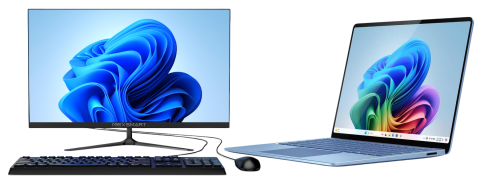
Windows Desktop & Laptop
Description
GIMP (GNU Image Manipulation Program) is a free, open-source image editing program used for photo retouching, graphic design, and digital art. It offers powerful tools similar to Adobe Photoshop, making it popular for schools, artists, and hobbyists.
Features
- Photo editing: Adjust colors, brightness, contrast, and remove blemishes or backgrounds.
- Layers and masks: Work non-destructively to combine multiple images or effects.
- Painting tools: Custom brushes, pencils, airbrush, and gradients for digital illustration.
- Selections and transformations: Crop, resize, rotate, and precisely edit chosen parts of an image.
- Filters and effects: Apply blurs, lighting, artistic styles, and more.
- File support: Opens and saves many formats (JPEG, PNG, GIF, PSD, TIFF, etc.).
How to Access
GIMP is a free and open-source application. Simply download the application from SD62 Software Center (Windows 10)/Company Portal (Windows 11). No login is required.
*** GIMP is preloaded on all middle school ADST devices and in high school computer labs.
Students
No login is required for this resource
Educators
- No login is required for this resource
Caregivers
- Click on GIMP download
- No login is required
Accessing with:
Image