Library Catalogue - Follett
Follett Library Catalogue allows students and teachers to search and reserve resources from your school library and the District Resource Centre (DRC).

Audience
Educators,
Students
Subject
ADST & Careers,
Arts & Music,
Core French & Modern Languages,
French Immersion,
Indigenous,
Literacy,
Numeracy,
Personal Health Education,
Sciences,
Social Emotional Learning,
Social Studies
Grade level
Grade K - 3,
Grade 4 - 5,
Grade 6 - 8,
Grade 9 - 12,
Everyone
Approval status
Approved
Compatible devices
Chromebook,
iPad,
Mac,
Windows Desktop & Laptop
Description
Follett is used to manage library resources, including searching for books and booking physical resources like books and kits from your school library.
Teachers can also search and book District Resource Center (DRC) material through Follett.
Features
Students and teachers can collaborate using their Follett Destiny Discover accounts by creating Collections.
Other features include:
- 24/7 access
- putting holds on books
- rating books
- and much more...
How to Access
Students and Educators
- Click on School Library Catalogue - Follett
- Select your school
Click on Log in
Image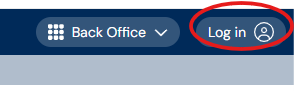
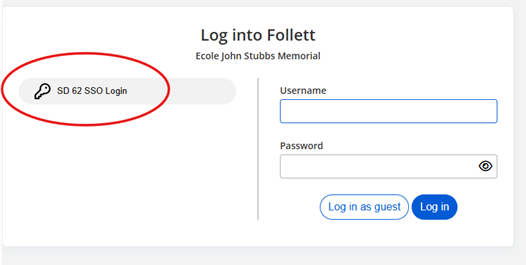
4. Click on SD 62 SSO Login
Image