
If the application you are wanting is not already loaded on the iPad, follow the steps below:
- First, check that the application you are hoping to download is approved in the Digital Resources section, and that it is able to be used on iPads.
- Please note: If you attempt to download an application from Self Serve and you only see the spinning circle, more licenses may be required so please put in a JIRA ticket.
Image
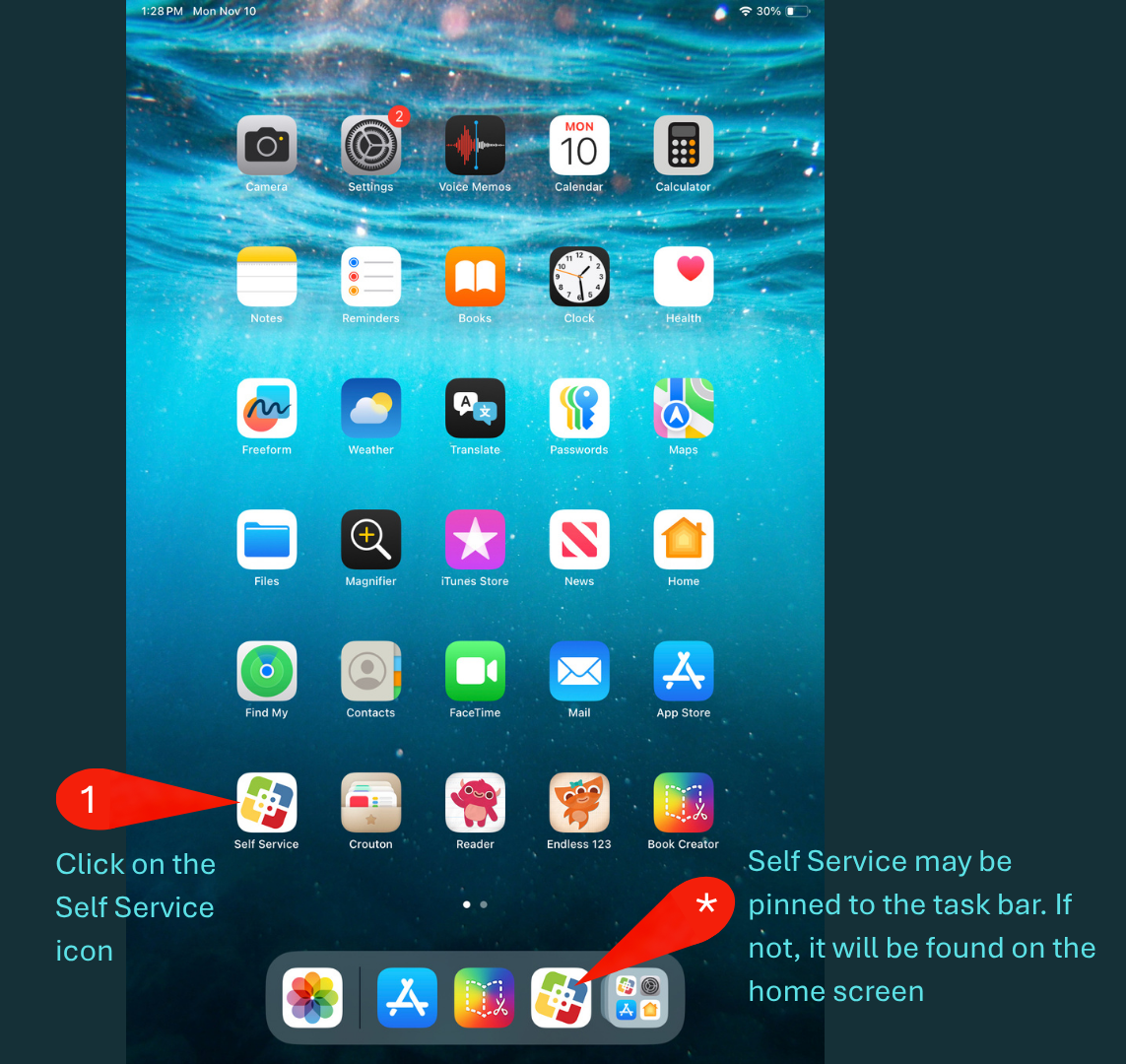
Step 1: Click on the Self Service icon
- Note that sometimes the Self Service is pinned to the task bar. If it is not, it will be found on the home screen
Image
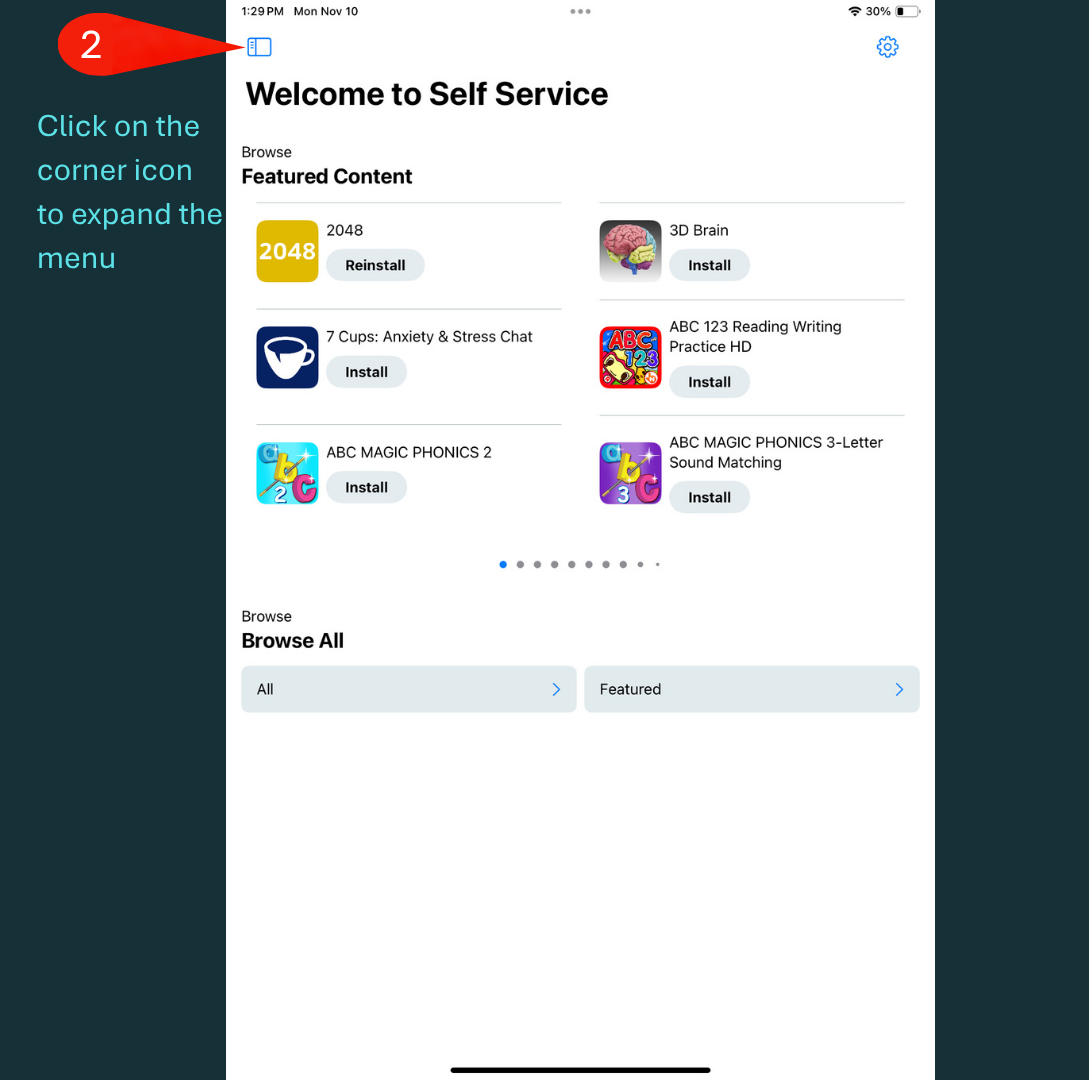
Step 2: When Self Serive opens, click on the corner icon to expand the menu
Image
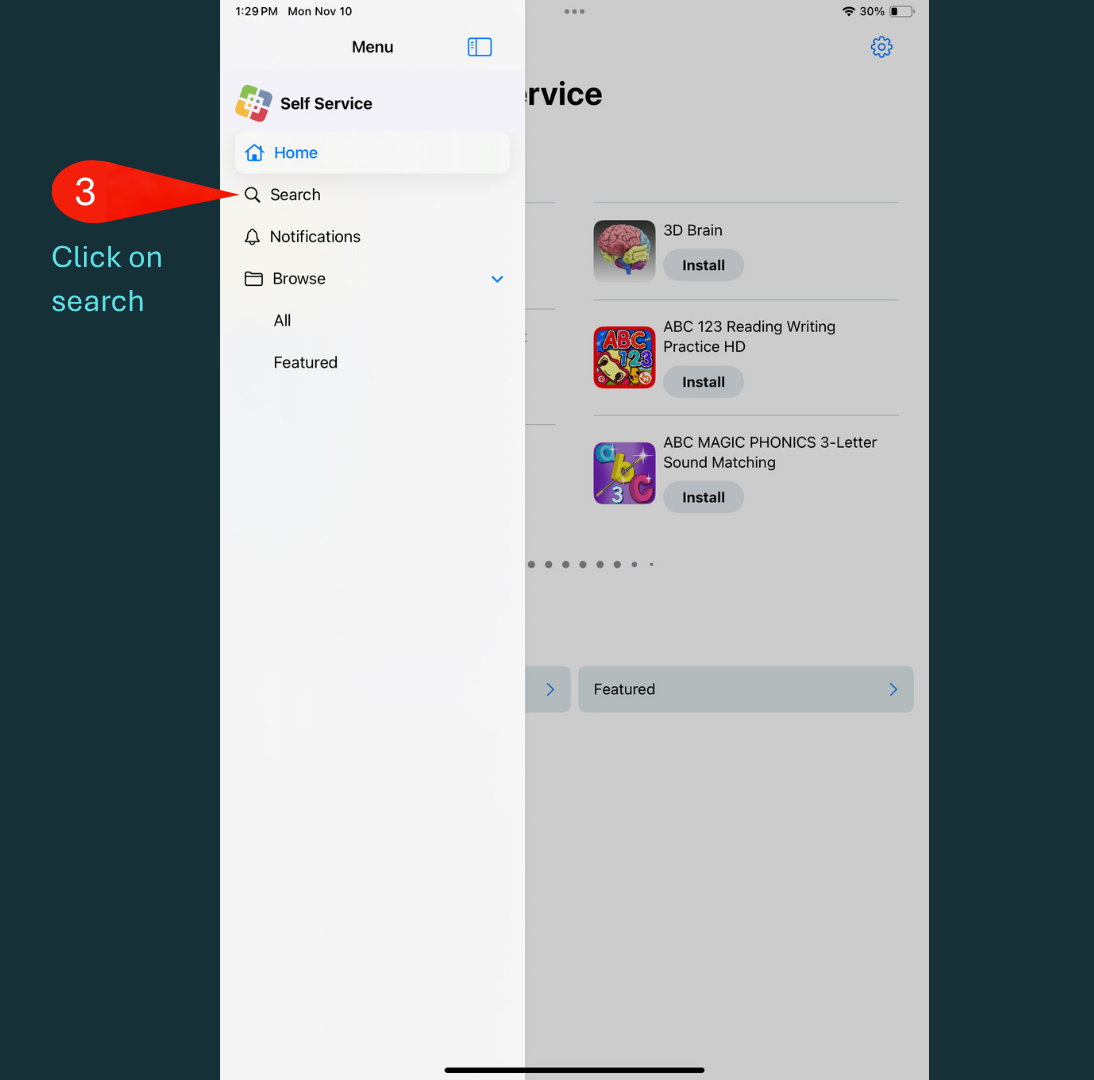
Step 3: In the Self Service menu, click on Search
Image
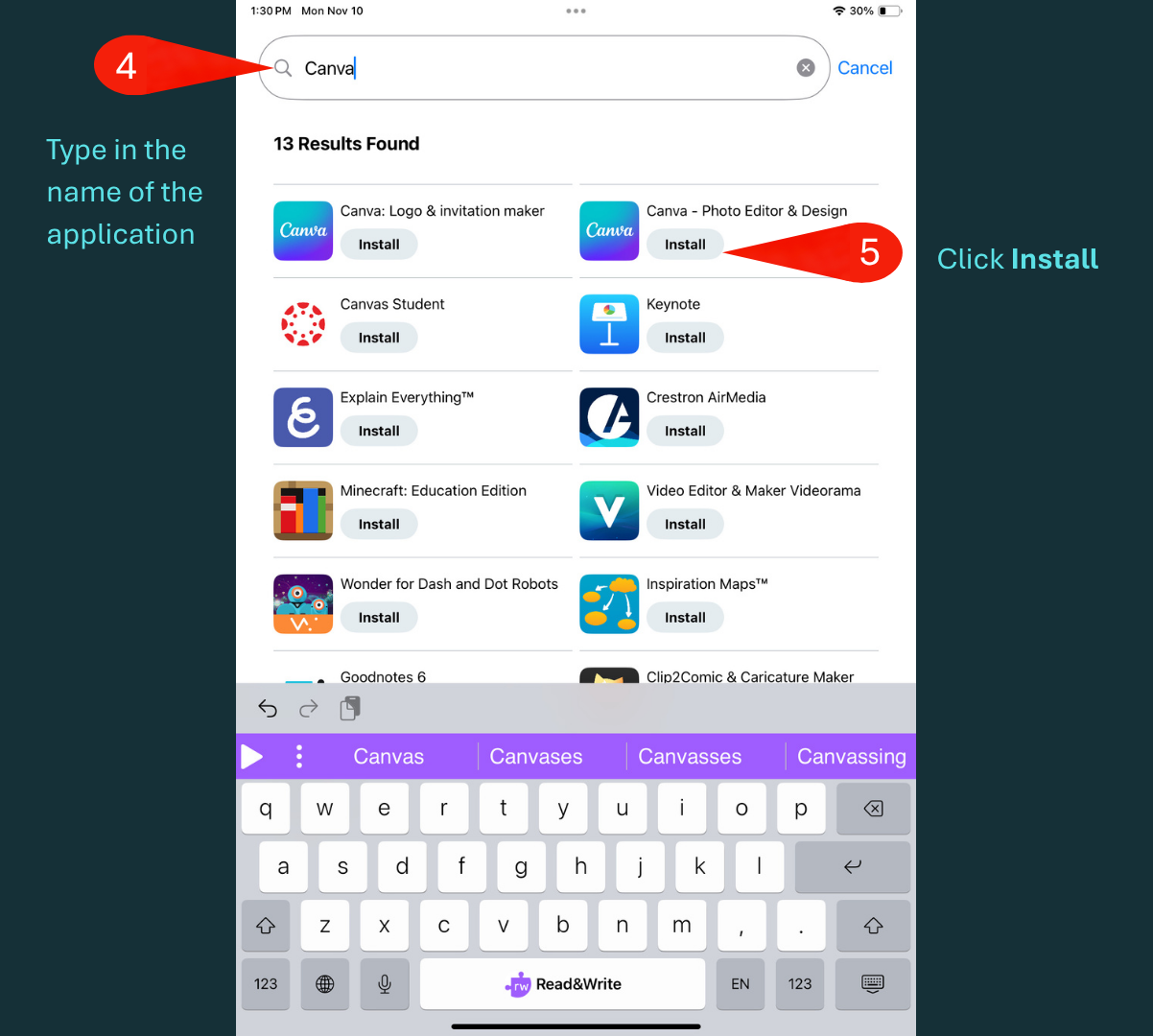
Step 4: Type in the name of the application
Step 5: Click Install