
For Windows 11:
Students
Step 1. Open all apps
Step 2. Find Minecraft in the list or search by name
Imag
Image
Staff
Minecraft may not be installed for staff by default on Chromebooks. Staff are able to download Minecraft for Education with the below steps:
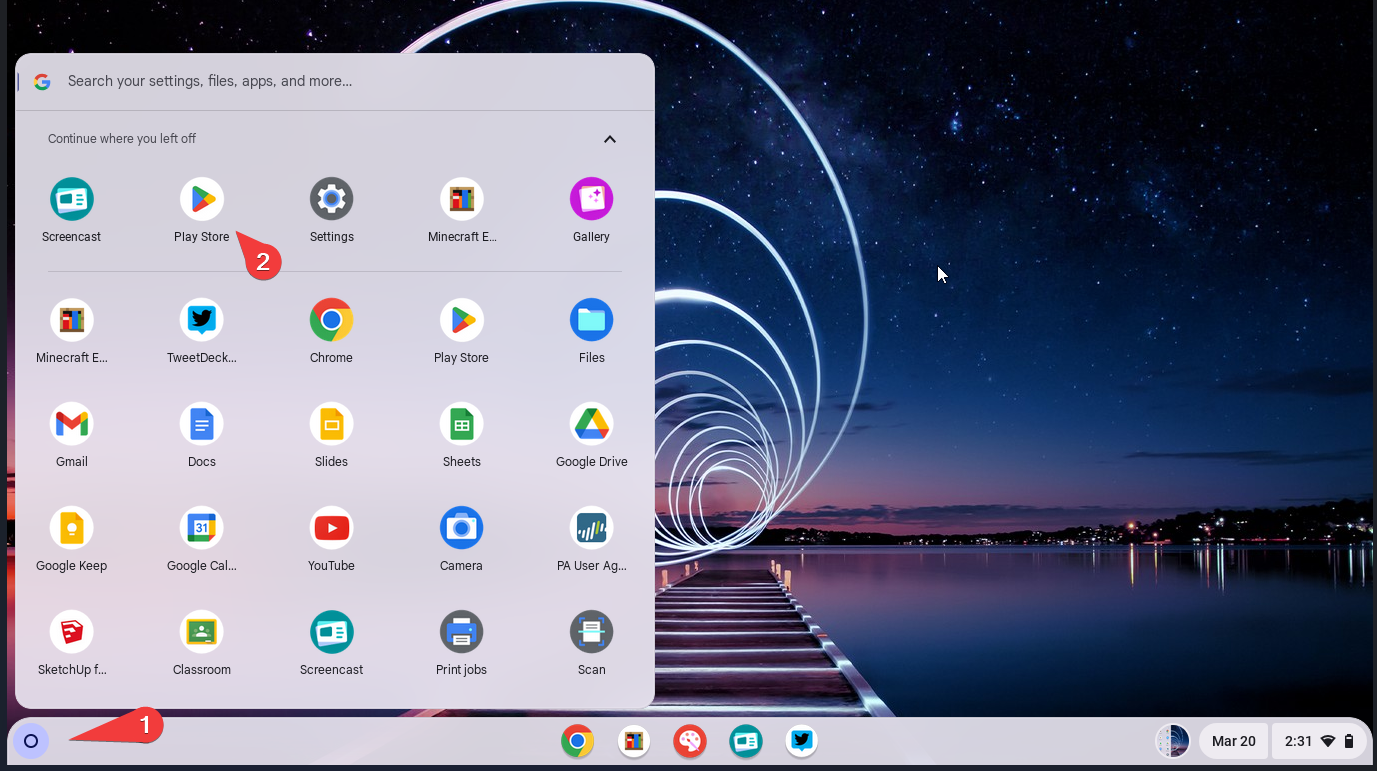
Step 1. Open all apps
Step 2. Find Play Store in the list or search by name
Image
Image
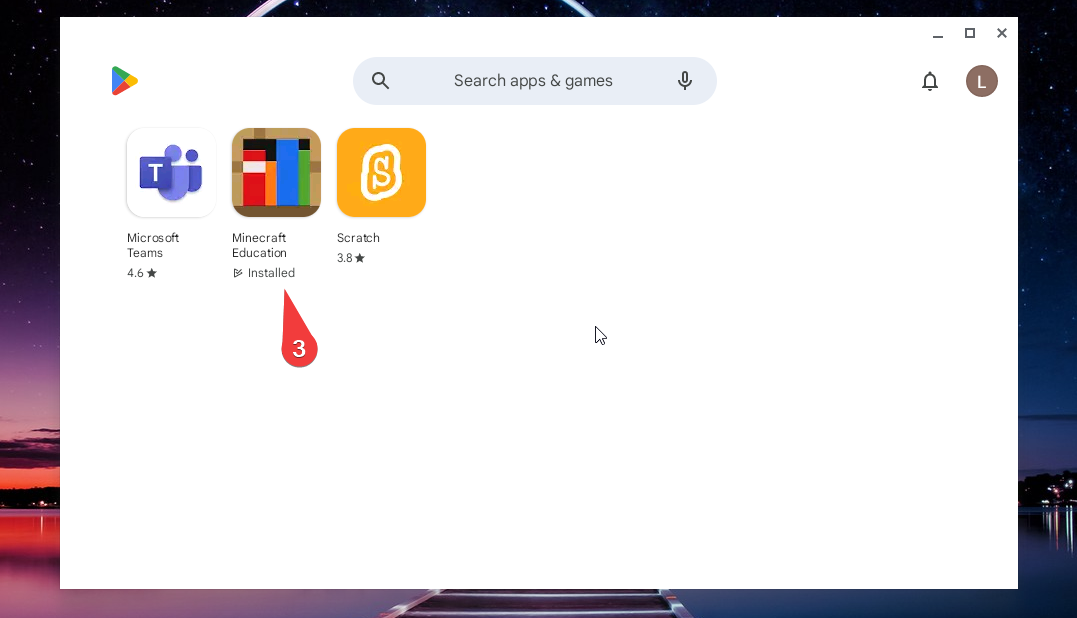
Step 3. Find and select Minecraft for Education
Image
Image
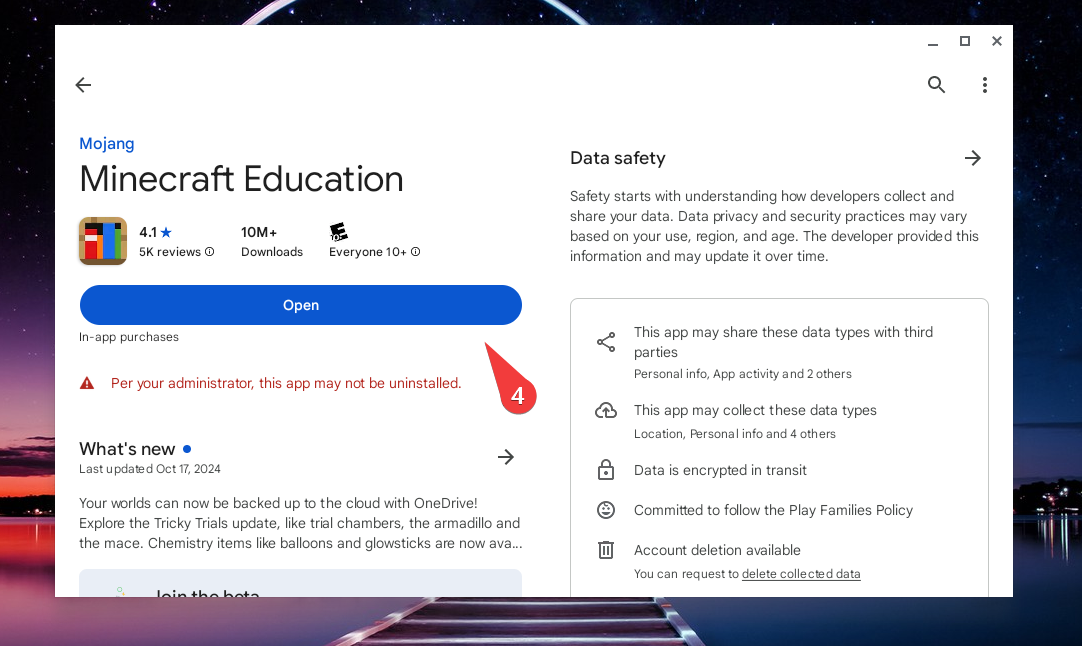
Step 4. If Minecraft needs to be installed, select Install. Otherwise, click Open to launch Minecraft.
Image
Image